
GUIDES
Lead Follow-Up for Wrap Shops: Turn More Quote Requests into Booked Jobs
A quote request isn't a job until it's booked. Leads go cold when replies are slow or when a quote goes out and nobody follows up. Busy shops lose the most this way, because front-office work waits until the install is done. Here's a simple pipeline that keeps every lead moving.
Updated: October 21, 2026
Shop software & workflow1 min read
Define the next action at each stage
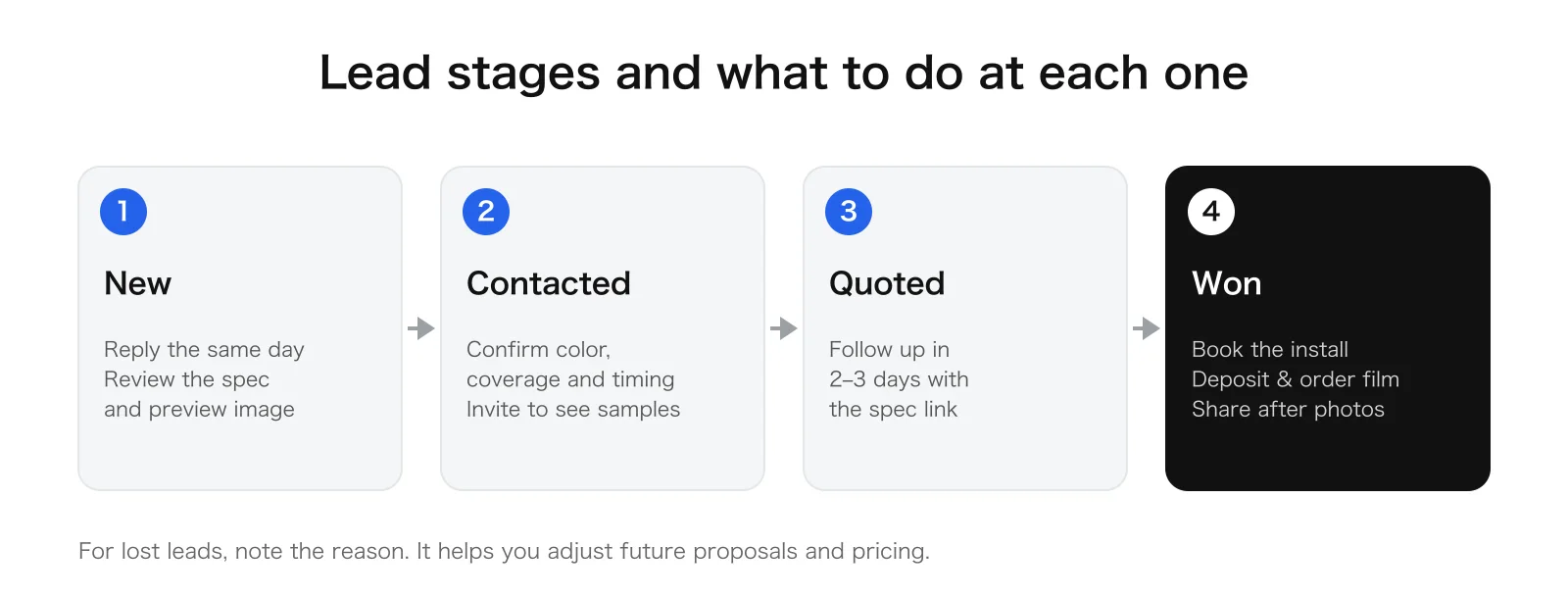
Leads slip when "what's next" lives in someone's head. A next action per stage keeps quality consistent, even with several people answering inquiries.
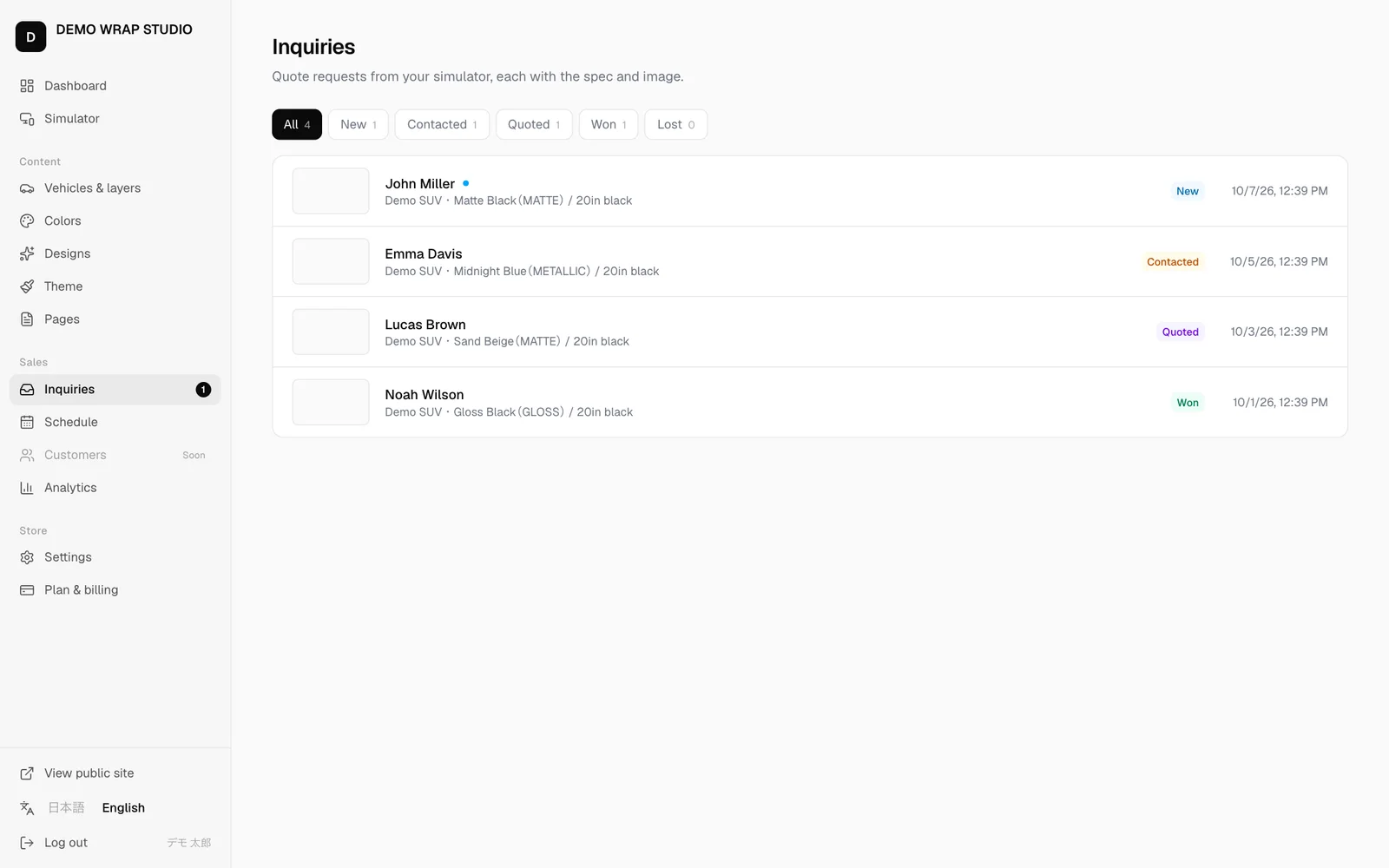
See every lead in one list
In Simulator Studio, quote requests from your visualizer land in one inbox with the customer's name, requested spec and date. Filter by status to find leads that haven't had a reply, or quotes waiting on an answer.
- New: not yet answered
- Contacted: conversation started
- Quoted: waiting for a decision
- Won / Lost: closed
You also get an email notification for every new request.
Keep spec, status and notes together
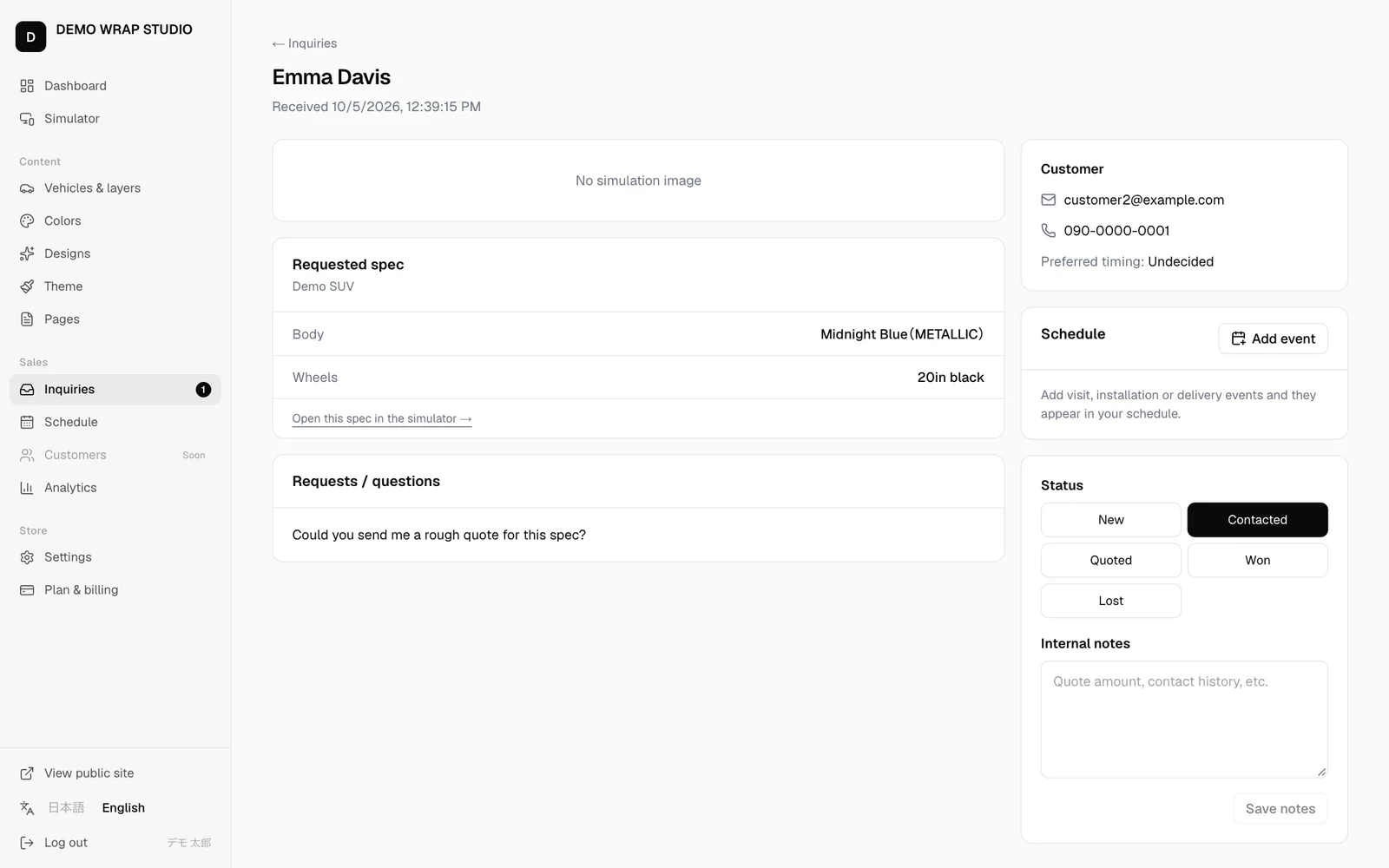
Each lead shows the spec the customer built, their contact details and message. Switch status with one click, keep internal notes on the quote and conversation, and reopen the exact spec in the visualizer.
- Notes: quote amount, options offered, customer reaction, next call
- Schedule: add visits, installs and pickups
- Reopen the spec: build alternatives from what the customer chose
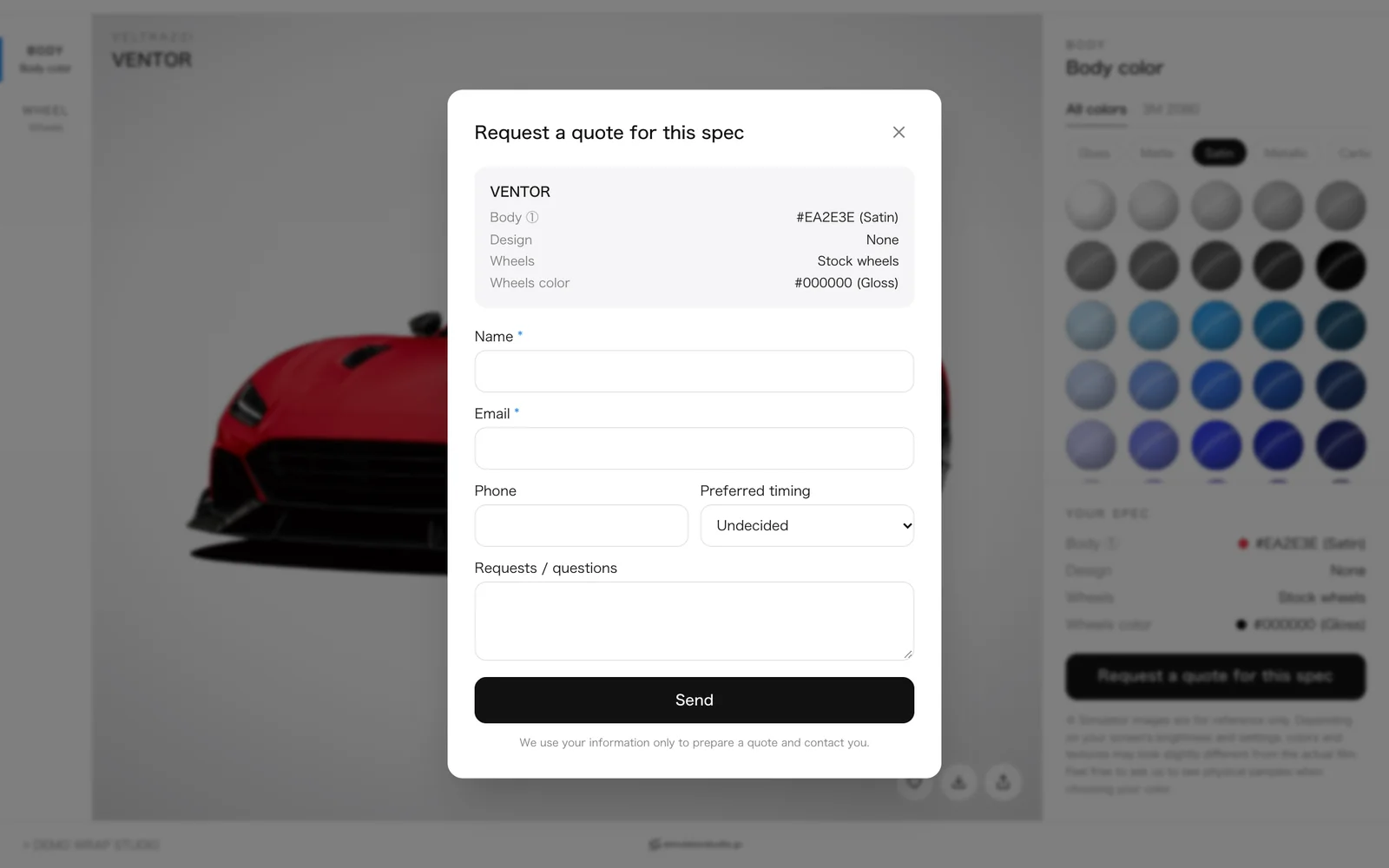
Follow up with the spec link
If a quote gets no reply, follow up after two or three days and include the link to the spec they built. It instantly reminds them of the car they imagined.
For lost leads, note the reason: budget, timing, couldn't decide on a color. Patterns there tell you what to change in your menu, pricing or proposals.
Manage every quote request by status, with notes and the customer's spec. Free for 14 days.
FAQ
- Q. How fast should I reply to a wrap inquiry?
- A. Ideally the same day. Even if the full quote takes longer, confirm you received it and say when the quote will arrive.
- Q. What should a follow-up message include?
- A. A short reminder plus the link to the spec the customer built, and optionally an alternative color or a partial option.
- Q. Can my team share the lead inbox?
- A. Yes. Plans include multiple team members (3 on Light, 10 on Standard), and statuses and notes show who has done what.