
GUIDES
Car Wrap Visualizer Software for Wrap Shops: How to Turn Website Visitors into Quote Requests
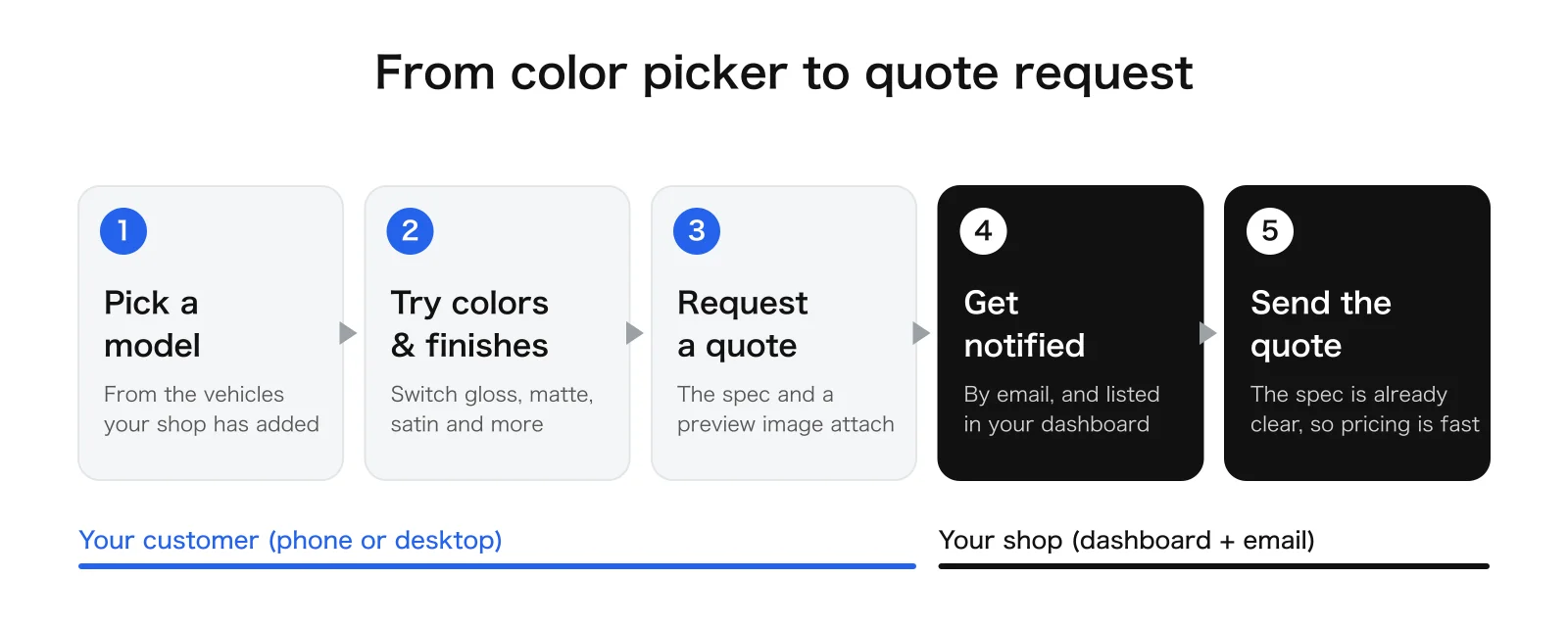
Most people who want a color change wrap have the same problem: they can't picture a whole car from a 2-inch swatch. So they browse, hesitate, and often never contact a shop. A car wrap visualizer lets them try colors and finishes on a vehicle like theirs, right on your website, and send you a quote request with the exact spec attached. This guide shows what that looks like in practice and what to look for when choosing visualizer software for your shop.
Updated: October 20, 2026
Shop software & workflow3 min read
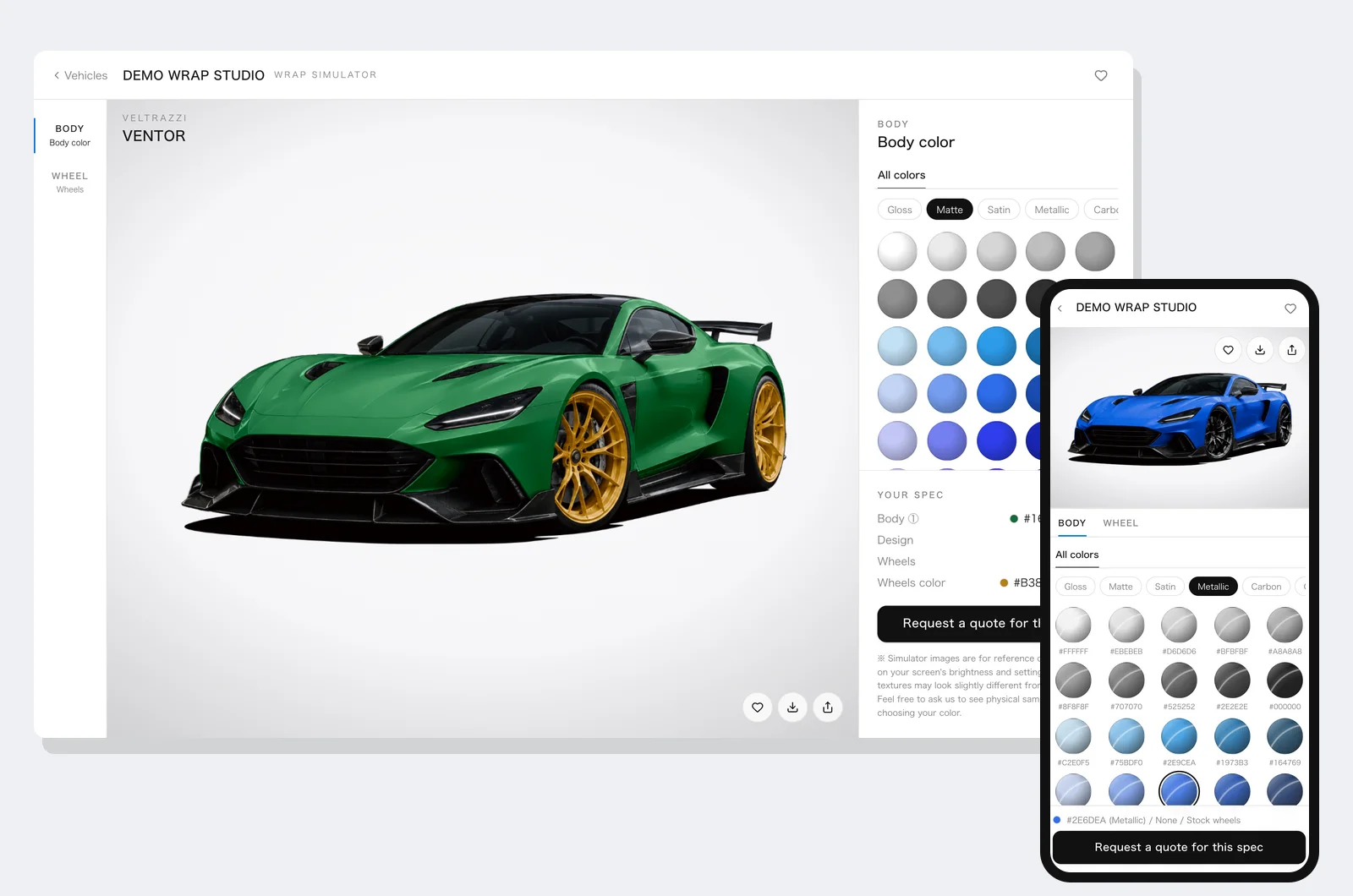
What a car wrap visualizer is (and what it isn't)
A car wrap visualizer, sometimes called a wrap configurator or color simulator, is a web page where a customer picks a vehicle, then switches body colors, finishes and options such as wheels, and instantly sees the result. For a wrap shop it does two jobs: it's a sales tool you can use with customers in the shop, and a marketing tool that works on your website 24/7.
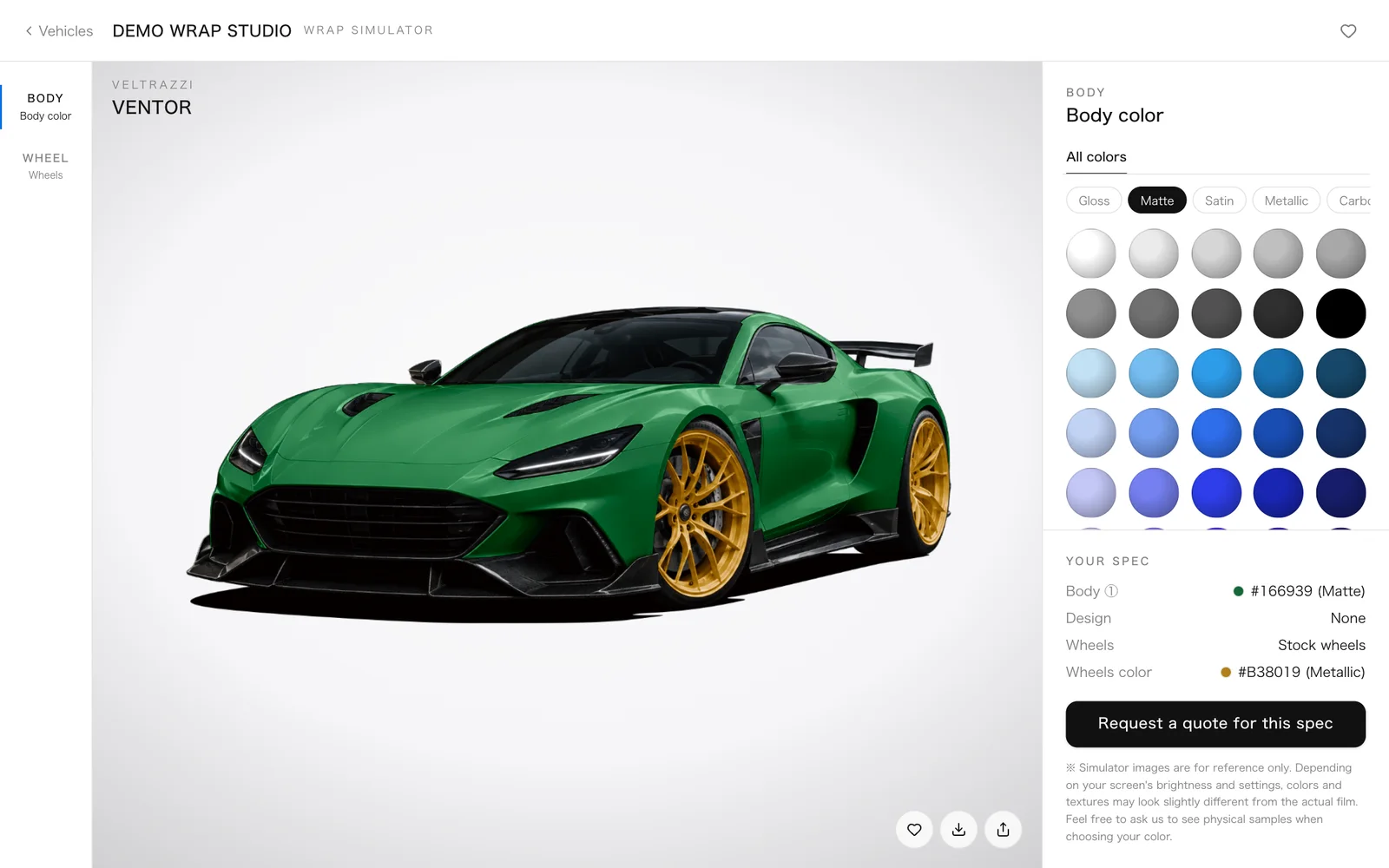
What it isn't: a replacement for physical samples. Screens vary in brightness and color, so a visualizer is best used to narrow down the direction. Your customer then confirms the final film in person. Good visualizers say this on screen, so expectations are set before the job.
Why wrap shops use one: the revenue formula
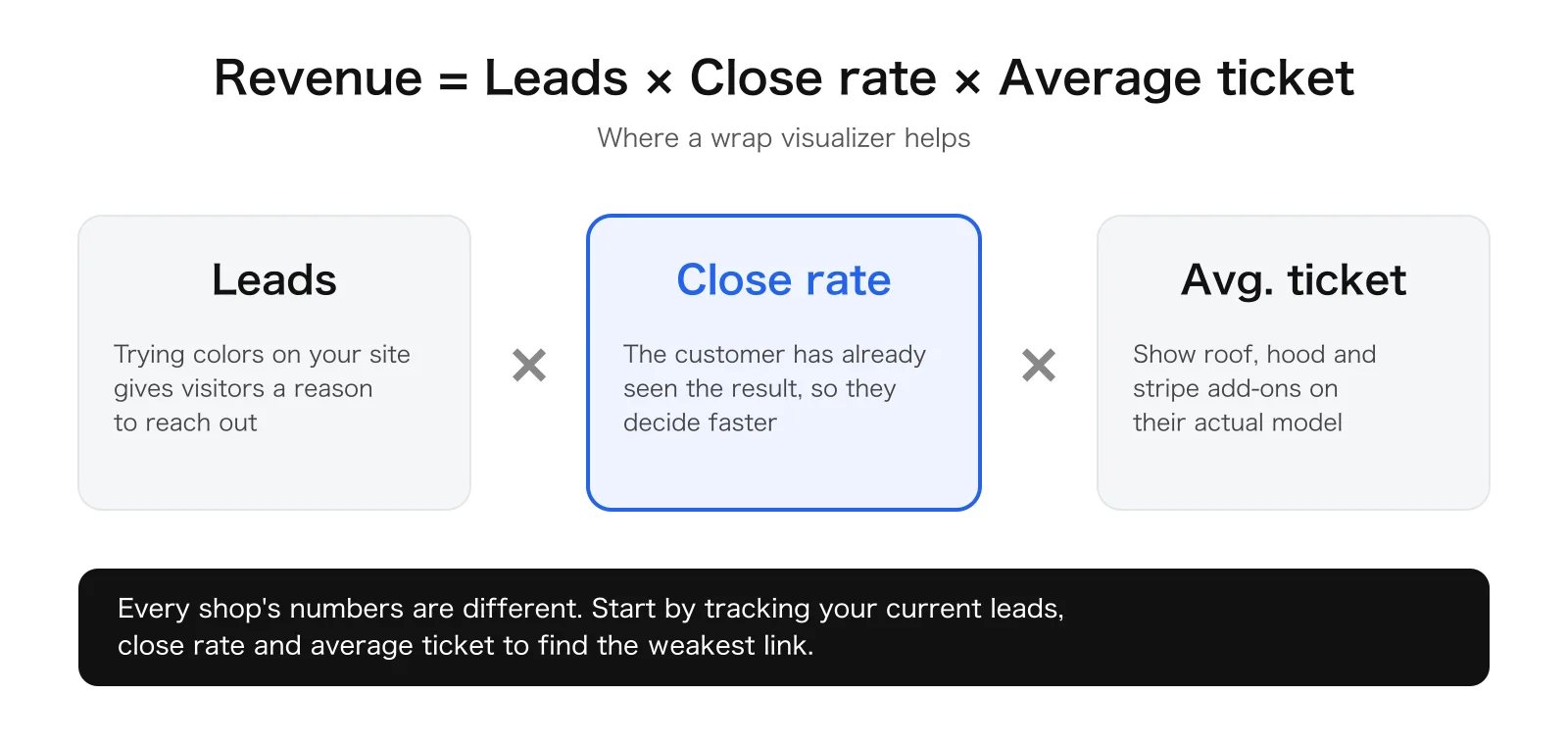
It helps to break revenue into three numbers. Ads mainly push the first one, and they get expensive. A visualizer works on all three:
- Leads: "see your car in this color" is a much stronger call to action than "contact us for a quote"
- Close rate: the customer has already seen the result, so there's less hesitation and fewer surprises after the job
- Average ticket: it's easy to show add-ons like a black roof, a carbon hood or racing stripes on their actual model
Every shop's numbers are different, so start by tracking your monthly leads, closed jobs and average ticket. That tells you where the biggest gain is.
What your customer sees: desktop and mobile
Most of your traffic from Instagram, TikTok and Google Maps is on a phone. The visualizer has to work just as well there: a large vehicle image, swatches big enough to tap, and the quote button always within reach.
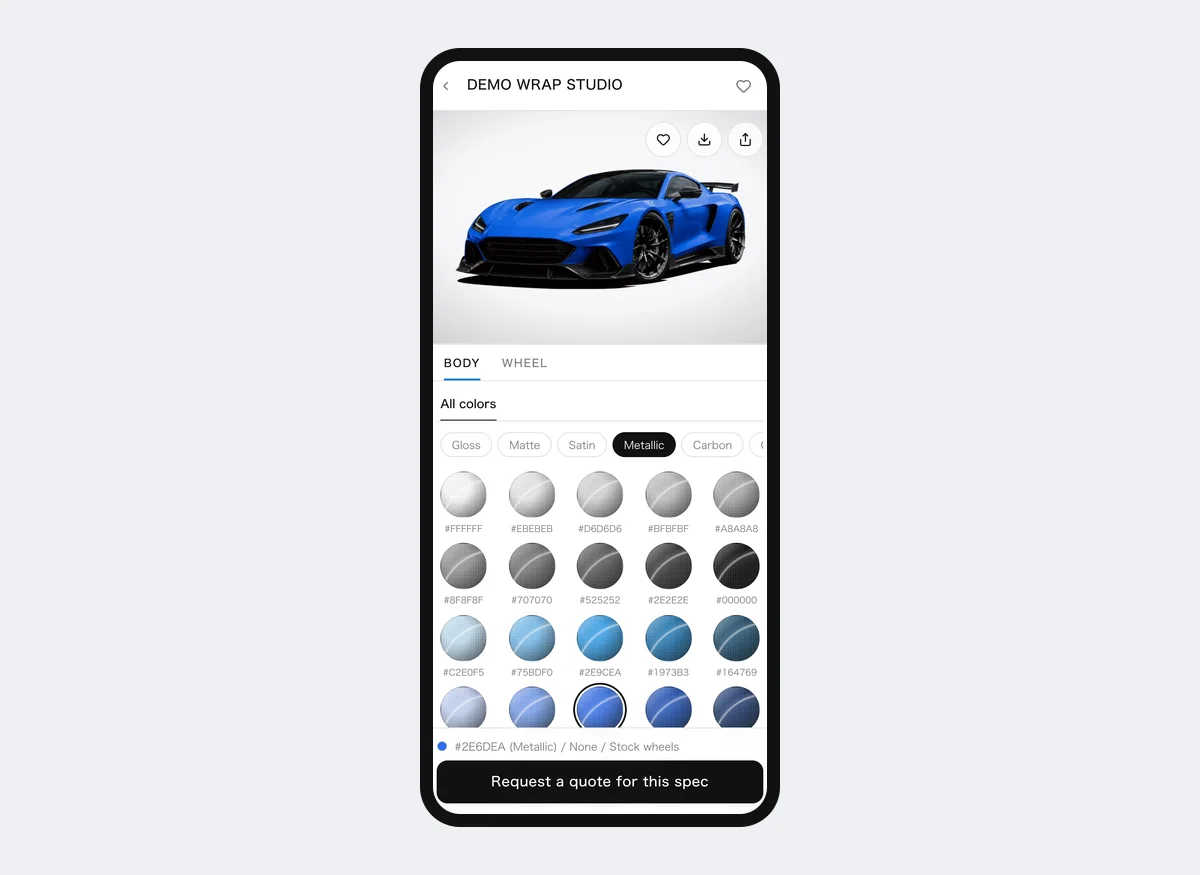
Customers can also save the preview as an image or share it by link. That matters more than it sounds: a wrap is often a decision made with a partner or family member, and a shareable preview keeps your shop in the conversation.
What arrives in your inbox
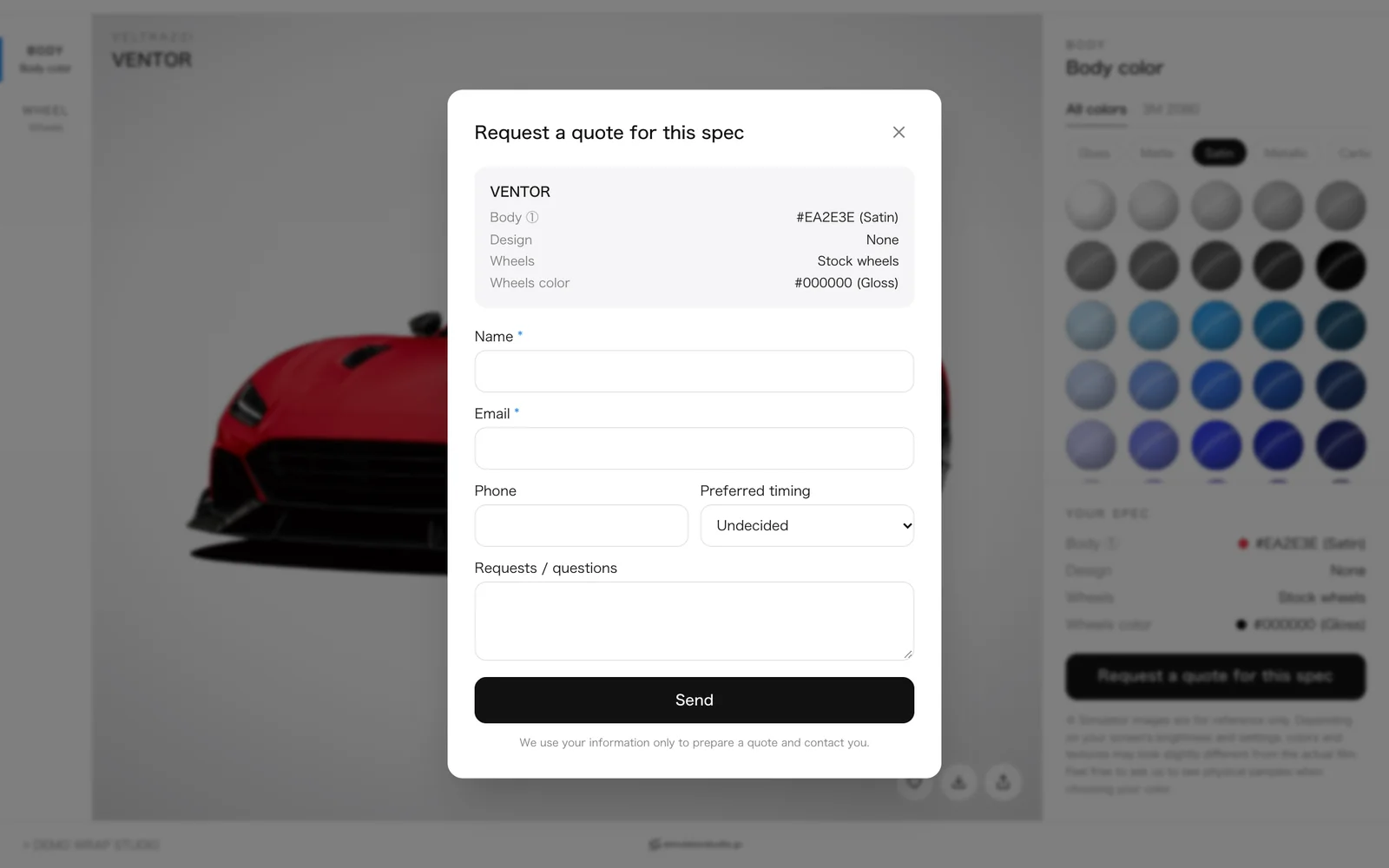
When the customer clicks "Request a quote for this spec", a short form opens with the spec already filled in. They only add their name, email, phone, timing and any notes.
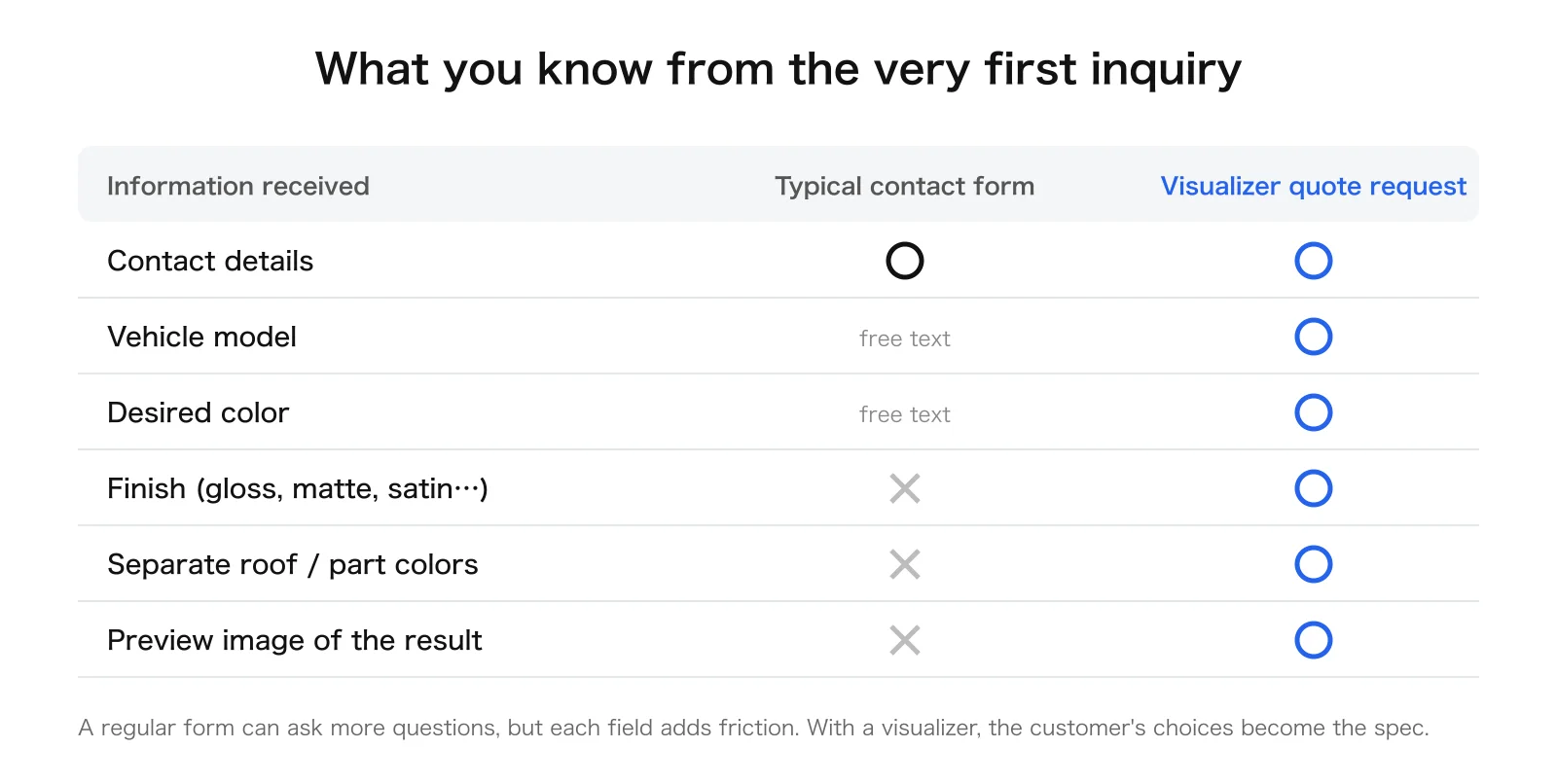
Compare that with a typical contact form, where you get "Hi, how much to wrap my car?" and then spend three emails finding out the model, the color and whether they mean gloss or satin.
The request is emailed to you and saved in your dashboard, where you can track its status (new, contacted, quoted, won, lost), add internal notes, and reopen the exact spec in the visualizer.
Checklist: choosing wrap visualizer software
| Check | Why it matters |
|---|---|
| Works well on phones | Most social and map traffic is mobile |
| Your own vehicles | Customers want to see a model like theirs, not a generic car |
| Your own film colors and finishes | Only show what you can actually install |
| Separate parts (roof, hood, mirrors, stripes) | Lets you sell two-tone and add-ons |
| Your branding and URL | It should feel like your shop, not a third-party tool |
| Quote requests with the spec attached | Saves back-and-forth and speeds up pricing |
| Lead tracking and analytics | See which colors and vehicles get attention |
| Embed option | Put it directly inside your existing website |
How Simulator Studio works, and what it costs
Simulator Studio is a wrap visualizer built for wrap shops. You upload your vehicle images, choose the film colors and finishes you offer, pick a theme, and your simulator site goes live under your shop's brand. No coding is needed.
| Plan | Monthly (JPY, excl. tax) | Highlights |
|---|---|---|
| Light | ¥27,000 | Up to 20 vehicles, your own URL, quote requests, customer management, analytics |
| Standard | ¥45,000 | Everything in Light, up to 100 vehicles, embed on your website, advanced themes, monthly report |
| Premium | ¥89,000 | Everything in Standard, unlimited vehicles, premium themes, remove the "Powered by" badge, priority support |
Build a visualizer with your own vehicles and film colors, free for 14 days.
FAQ
- Q. Is a car wrap visualizer accurate enough to sell from?
- A. It's accurate enough to choose a direction: color family, finish and combinations. Screens differ, so always confirm the final film with a physical sample before installation.
- Q. Do I need a developer to set it up?
- A. No. With Simulator Studio you upload vehicle images, choose colors and a theme in the dashboard, and publish. You can link to it from your site and social profiles, or embed it on Standard and above.
- Q. Can customers use it on their phone?
- A. Yes. The visualizer is designed for phones first, with large vehicle images, tappable swatches and a quote button fixed at the bottom of the screen.